In Stock
| Key Features | ||
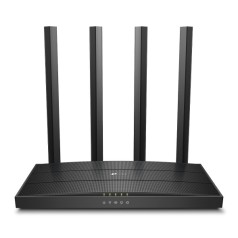
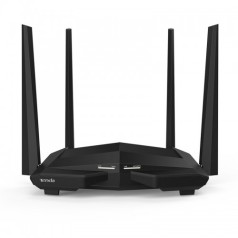
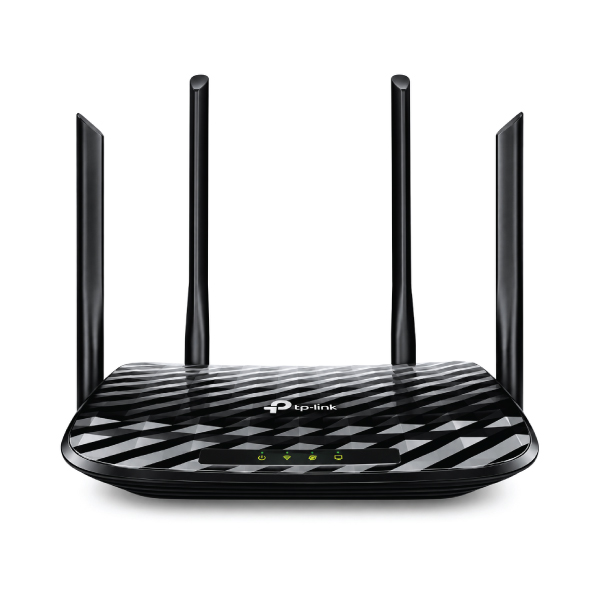
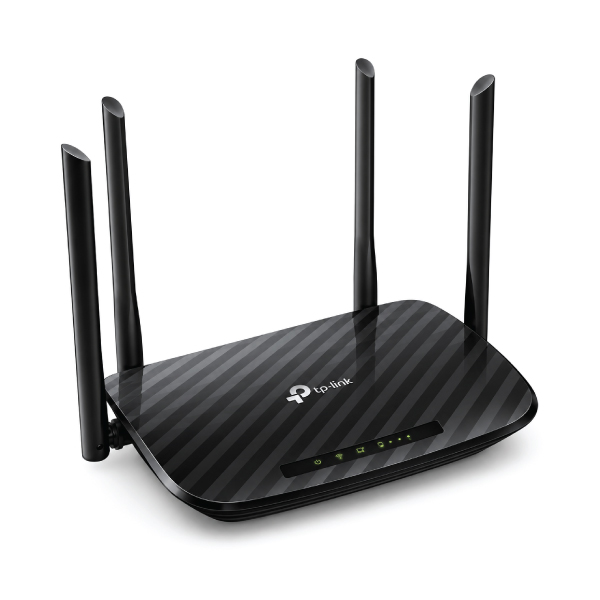
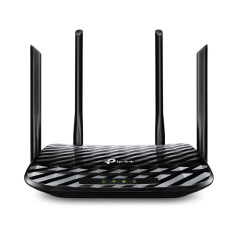
| Antenna | 4× Fixed External Antennas for enhanced coverage and stable wireless performance. | |
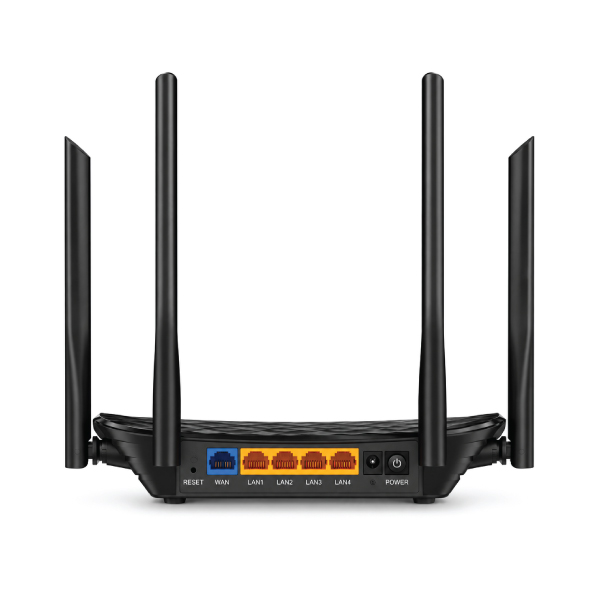
| Button | WPS/Wi-Fi Button, Power On/Off Button, Reset Button. | |
| Frequency | Dual Band: 2.4GHz and 5GHz. | |
| Wireless | Wi-Fi 5 (IEEE 802.11ac/n/a on 5GHz and IEEE 802.11n/b/g on 2.4GHz) with Dual-Band, Beamforming, and 2×2 MU-MIMO technology. | |
| Interface | 1× 10/100 Mbps WAN Port and 4× 10/100 Mbps LAN Ports. | |
| Data Rate | AC1200 wireless speed: Up to 867 Mbps on 5GHz and up to 300 Mbps on 2.4GHz. | |
| Network Standard | IEEE 802.11ac/n/a (5GHz) and IEEE 802.11n/b/g (2.4GHz). | |
| Encryption | Supports WPA, WPA2, WPA3, and WPA/WPA2-Enterprise (802.1x) encryption with SPI Firewall, Access Control, IP & MAC Binding, and IoT Security. | |
| Ports | 1× 10/100 Mbps WAN Port, 4× 10/100 Mbps LAN Ports. | |
| Operating System Support | Compatible with Internet Explorer 11+, Firefox 12.0+, Chrome 20.0+, Safari 4.0+, and other JavaScript-enabled browsers. | |
| Others | upports IPv4 & IPv6, EasyMesh & OneMesh compatibility |
|
| Physical Dimension | ||
| Dimension | 9.1 × 5.7 × 1.5 inches (229.9 × 144.2 × 36.9 mm). | |
| Color | Black | |
| Housing Material | High-quality durable plastic. | |
| Shell Color | Black. | |
| Power Source | ||
| Power Mode | External Power Adapter, 9V ⎓ 0.85A. | |
| Manufacturer warranty | ||
| Manufacturer warranty | 1 Year | |
The TP-Link Archer C50 is an AC1200 dual-band Wi-Fi router for homes and small offices. Four external antennas, Beamforming, 2×2 MU-MIMO and WPA3 deliver capable everyday networking. Router, Access Point and Range Extender modes support both new installations and existing-network upgrades.
If you are checking the TP-Link Archer C50 price in Bangladesh, Touch IT currently lists it at ৳2,600. Published wireless rates reach 867Mbps on 5GHz and 300Mbps on 2.4GHz. Confirm price, stock, hardware version and warranty when ordering.
This affordable Wi-Fi router places demanding compatible devices on 5GHz while keeping general browsing and smart devices on 2.4GHz, helping reduce congestion. Performance depends on the ISP plan, placement, obstacles, interference and client hardware.
Use 5GHz for compatible TVs, laptops, calls and streaming nearby, and 2.4GHz for routine browsing or longer reach. AC1200 is the combined theoretical wireless class, not guaranteed internet speed.
Four external antennas distribute Wi-Fi through a home or compact workplace. Beamforming directs signals toward connected clients. Place the router centrally and away from thick walls or electrical interference for better results.
Its 2×2 MU-MIMO technology communicates through two simultaneous data streams, improving efficiency when compatible devices browse, stream, study or work online together.
EasyMesh can create unified Wi-Fi with compatible equipment. Router Mode shares internet, Access Point Mode adds Wi-Fi to a wired network, and Range Extender Mode repeats an existing signal. Compatibility depends on hardware and firmware.
Current versions support WPA3 alongside WPA and WPA2. Guest networks protect the primary credentials; URL filtering and time controls manage family access. Device-based QoS prioritises selected equipment.
Configure it through a browser or TP-Link Tether app. IPv6, IPTV, common WAN types, port forwarding, DDNS and cloud management cover typical networking needs.
| Brand and Model | TP-Link Archer C50 |
|---|---|
| Router Type | AC1200 dual-band Wi-Fi 5 router |
| Wireless Standards | IEEE 802.11ac/n/a at 5GHz; IEEE 802.11n/b/g at 2.4GHz |
| Wireless Rates | Up to 867Mbps at 5GHz; up to 300Mbps at 2.4GHz |
| Antennas | 4 × fixed external antennas |
| Wireless Features | Dual-band, Beamforming and 2×2 MU-MIMO |
| Mesh Support | EasyMesh; selected TP-Link mesh compatibility varies by version |
| Working Modes | Router, Access Point and Range Extender |
| Ethernet Ports | 1 × 10/100Mbps WAN; 4 × 10/100Mbps LAN |
| Wireless Security | WPA, WPA2, WPA3 and WPA/WPA2-Enterprise |
| Network Features | Guest Wi-Fi, parental controls, device QoS, IPTV and IPv6 |
| Management | TP-Link Tether app and web interface |
| Buttons | WPS/Wi-Fi, power on/off and reset |
| Power | 9V DC, 0.85A |
| Dimensions | 229.9 × 144.2 × 36.9mm |
| Package Contents | Router, power adapter, RJ45 Ethernet cable and installation guide |
The Archer C50 uses 10/100Mbps Fast Ethernet, not Gigabit, so its WAN is limited to 100Mbps and real throughput is lower. It needs an ISP connection and separate modem or fibre ONT where applicable. WPA3 and EasyMesh may vary by regional hardware or firmware; check the box label before purchase.
The Archer C50 suits buyers wanting a budget dual-band router with four LAN ports and flexible modes for internet packages up to 100Mbps. Compare more TP-Link routers and TP-Link products to find the right match.
| Model | Wireless Class | Ethernet | Best For |
|---|---|---|---|
| TP-Link Archer C54 | AC1200: 867 + 300Mbps | Fast Ethernet | Compact, entry-level AC1200 setup |
| TP-Link Archer C50 | AC1200: 867 + 300Mbps | Fast Ethernet | Flexible modes, WPA3 and EasyMesh support |
| TP-Link Archer C64 | AC1200: 867 + 400Mbps | Gigabit Ethernet | Faster internet plans and wired devices |
| TP-Link Archer C6 | AC1200: 867 + 300Mbps | Gigabit Ethernet | Gigabit networking and advanced options |
Its published link rates are up to 867Mbps on 5GHz and 300Mbps on 2.4GHz.
No. It has one 10/100Mbps WAN and four 10/100Mbps LAN ports.
It cannot fully deliver a faster plan through its Fast Ethernet WAN port. Consider the Gigabit Archer C64 or C6.
Yes. It supports Router, Access Point and Range Extender modes.
Current TP-Link Bangladesh specifications list WPA3, although availability may depend on the hardware and firmware version.
Yes, with compatible EasyMesh equipment and supported firmware. Verify the hardware version before building the network.
TP-Link positions it for a typical three-bedroom home, but layout, walls, interference and placement determine actual coverage.
Yes. The TP-Link Tether app supports guided setup and management on compatible mobile devices.
Touch IT supplies routers, switches, accessories and complete networking solutions in Bangladesh. Its team can match your router to the ISP speed, wired devices and coverage needs.
Choose reliable dual-band Wi-Fi for your home or workspace. Order the TP-Link Archer C50 online, call 01711664030, or visit Room 312, Level 3, Multiplan Center, 69–71 New Elephant Road, Dhaka-1205. Confirm current stock, price, hardware version and warranty before checkout.
The latest price of TP-Link Archer C50 Wi-Fi Router in Bangladesh is 2,600৳. You can buy the TP-Link Archer C50 Wi-Fi Router at best price from our website or visit any of our showrooms.
2,300৳
2,500৳
2,600৳
2,850৳