| Printer - Updated Price list in BD | Price in Bangladesh |
|---|---|
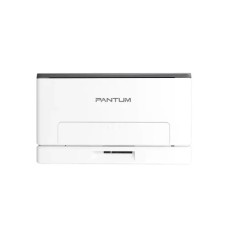
| Pantum CM1100ADW Multifunction Color Laser Printer | 64,000৳ |
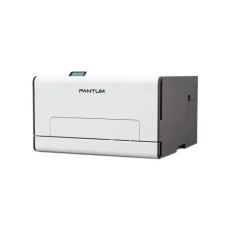
| Pantum CP2100DW Single Function Color Laser Printer | 45,000৳ |
| Pantum CP1100DW Color Laser Printer (18 ppm) | 37,000৳ |
| Pantum BP5100DW Mono Laser Printer with Duplex & Wi-Fi (40 PPM) | 26,500৳ |
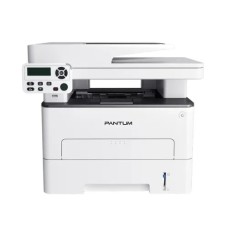
| Pantum M7100DW Multifunction Mono Laser Printer | 29,000৳ |
| Pantum BP5100DN Single Function Mono Laser Printer With Duplex & Network (40 PPM) | 24,000৳ |
| Pantum BM2310W Multifunction Mono Laser Printer | 19,500৳ |
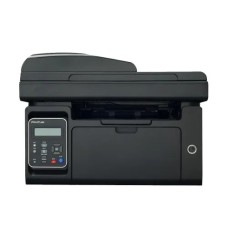
| Pantum M6550NW Multifunction Mono Laser Printer with WiFi & ADF | 19,000৳ |
A dependable printer makes everyday work easier, whether you are preparing assignments at home, printing invoices for a shop or managing documents in a busy office. At Touch IT, you can explore a practical selection of printers for personal, academic and professional use. Our collection includes affordable inkjet printers, economical ink tank models, fast laser printers, wireless printers and multifunction machines from Canon and Pantum.
The printer price in Bangladesh depends on the printing technology, speed, colour capability, connectivity and additional functions. A basic single-function inkjet printer usually costs less than an all-in-one wireless model, while a high-speed business laser printer or large-format printer requires a bigger investment. Browse our updated collection to compare specifications, availability and the latest printer prices before placing your order.
Buying the cheapest model is not always the most economical decision. Before choosing a printer, think about what you print, how frequently you print and whether you need scanning or copying. Someone printing a few assignments each week has very different requirements from an office producing hundreds of invoices and reports every day.
Inkjet printers are compact, affordable and capable of producing both text and colour images. They are a sensible choice for students, home users and anyone with occasional printing needs. Models such as the Canon PIXMA iP2770 and PIXMA TS207 are designed for straightforward colour printing without taking up much desk space.
An inkjet model generally has a lower initial purchase price. However, buyers should also consider cartridge yield and replacement cost. If you print only occasionally and want a budget-friendly colour printer, an inkjet machine can offer good value.
Ink tank printers use refillable reservoirs instead of conventional cartridges. Their initial price may be higher than that of a basic inkjet model, but the running cost per page is usually lower. This makes them popular among students, coaching centres, small offices, photographers and businesses that regularly print colour documents.
Touch IT offers Canon PIXMA ink tank models with different combinations of print, scan, copy and wireless connectivity. For example, a single-function model suits users who only need printing, while an all-in-one model is more convenient for handling assignments, forms, identification documents and office paperwork.
A laser printer is ideal when speed, sharp text and consistent output are more important than photo printing. Mono laser printers are widely used in offices, banks, educational institutions, retail businesses and service centres. Their toner cartridges can handle a higher document volume, making them suitable for regular black-and-white printing.
Businesses can choose between compact entry-level models and high-speed network printers. Features such as automatic duplex printing, Ethernet, Wi-Fi and a higher duty cycle can improve productivity in a shared office. Explore the complete Canon printer collection or compare it with available Pantum printers.
Colour laser printers produce professional-looking charts, proposals, presentations and promotional materials while maintaining the speed expected from laser technology. They are particularly useful for businesses that need regular colour output but do not require photo-lab-style printing.
The colour laser printer price in Bangladesh is generally higher than the price of a mono model because colour machines use multiple toner cartridges and more complex printing hardware. Compare toner yield, print speed and supported paper sizes before deciding which machine offers the best long-term value.
A single-function printer only prints, making it a simple and cost-effective choice when scanning and copying are unnecessary. A multifunction or all-in-one printer combines printing, scanning and copying in one machine. Some business models also include an automatic document feeder, allowing multiple pages to be scanned or copied with less manual work.
For a small desk or home workspace, an all-in-one printer can replace several separate devices. For a large office where employees already use dedicated scanners and photocopiers, a faster single-function laser model may be more suitable.
Canon is a familiar choice for home, creative and office printing. The PIXMA range includes compact inkjet and refillable ink tank printers, while the imageCLASS series focuses on efficient laser document printing. Canon also produces imagePROGRAF large-format printers for technical drawings, posters and professional graphics.
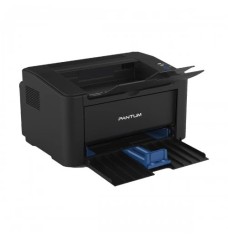
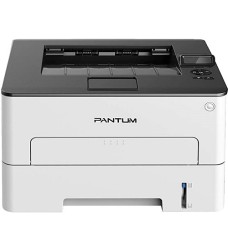
Pantum offers value-focused mono and colour laser printers for homes and businesses. Its range includes single-function, multifunction, Wi-Fi, network and automatic duplex models. Buyers searching for an affordable laser machine should compare Pantum’s print speed and connectivity with similarly priced alternatives.
Printer prices can change because of exchange rates, supply, promotions and product availability. For the most accurate figure, check the displayed price and stock status on the relevant product page before ordering.
A standard document printer is not always suitable for every commercial task. Retail stores, restaurants and pharmacies may need a thermal receipt printer for POS bills. Warehouses and online sellers may prefer a label printer for product labels, barcodes and shipping information. You can also explore barcode scanners and other office equipment to create a more efficient workspace.
Touch IT has served customers in Bangladesh since 2011 and provides technology products for homes, offices and commercial organisations. Customers can compare available models online or visit the Touch IT shop at Multiplan Center, New Elephant Road, Dhaka.
Delivery conditions may vary according to the product and destination. Review the online delivery and payment policy or contact Touch IT if you need help choosing a model.
Printer prices vary according to brand, technology and features. Basic inkjet printers are generally the most affordable, while multifunction laser, colour laser and large-format printers cost more.
A compact inkjet printer is suitable for occasional use. For regular colour printing, a refillable ink tank model may provide a lower running cost.
A mono laser printer with automatic duplex, network connectivity and a suitable monthly duty cycle is a practical choice for document-heavy offices.
Many wireless models support mobile printing, but compatibility depends on the printer, mobile operating system and supported application. Check the individual product specifications before purchasing.
You can order an available model from the Touch IT printer category or visit the Touch IT shop in Multiplan Center, Dhaka.
Compare inkjet, ink tank, laser, colour and multifunction printers according to your workload and budget. Whether you need an affordable printer for assignments or a high-speed machine for an office, Touch IT makes it easier to check features and find the right option. Browse the latest collection and order your preferred printer online today.